Sponsored by BrandGhost BrandGhost is a social media automation tool that helps content creators efficiently manage and schedule their social media... Visit now

ChatGPT Writer versus editGPT - Proofread, Edit, and Track Changes in chatGPT

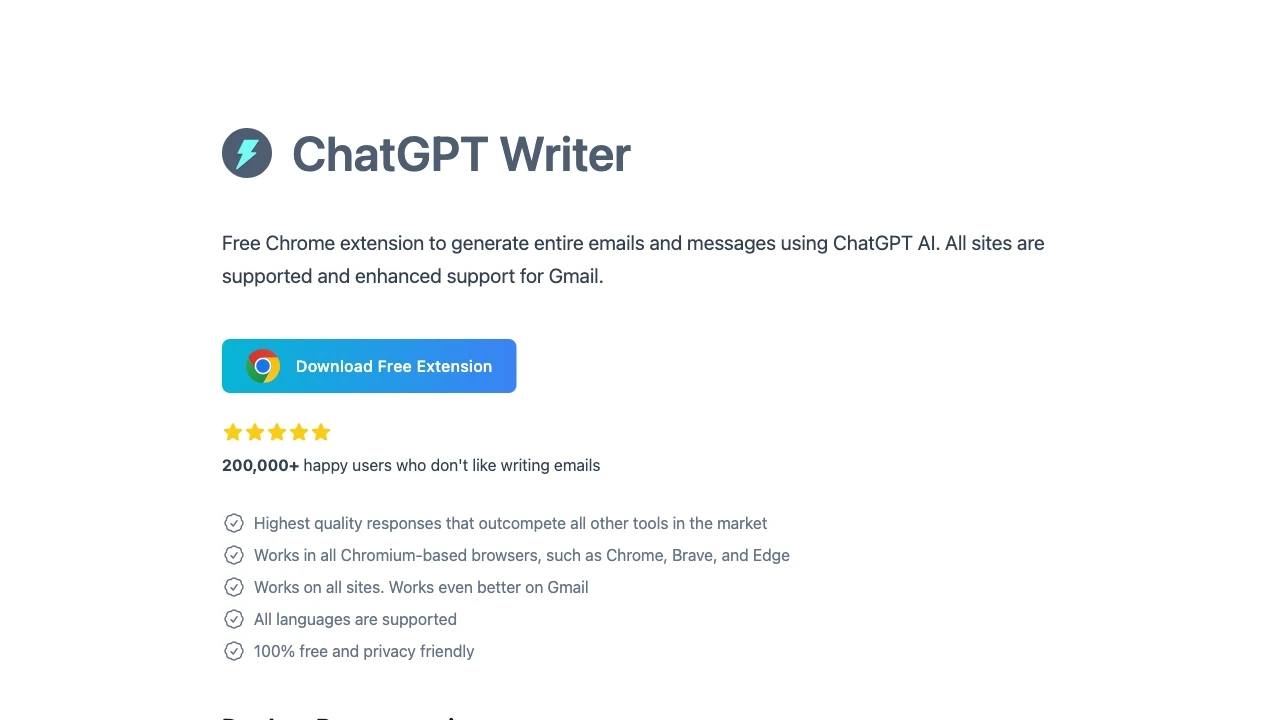
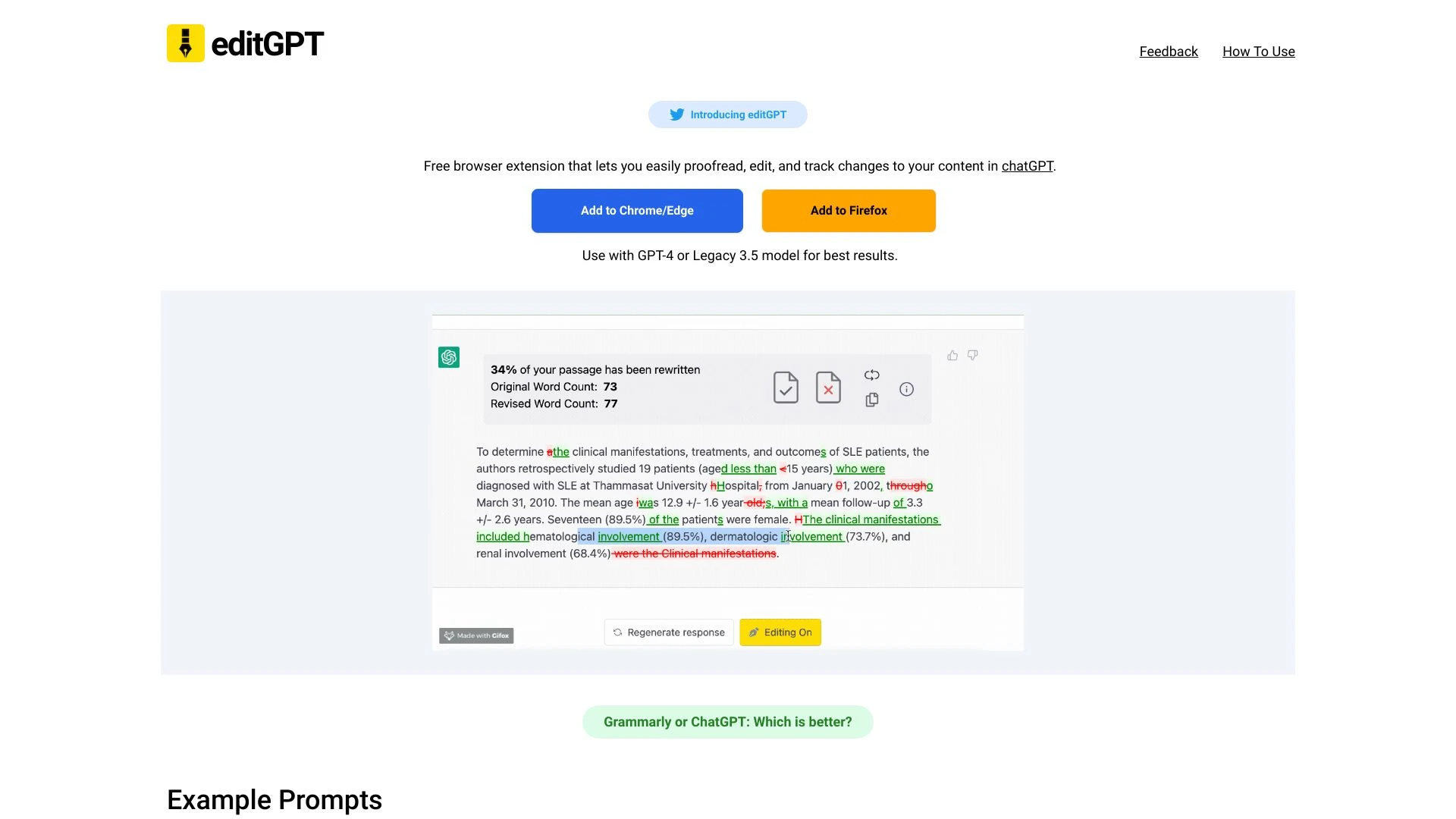
editGPT focuses on proofreading editing and track changes inside chatGPT while ChatGPT Writer targets email drafting and multilingual content across web platforms. Both are browser based writing aids designed to improve clarity and productivity with different primary use cases.

ChatGPT Writer vs editGPT - Proofread, Edit, and Track Changes in chatGPT Overview

Last updated: May 2026

Ideal For

    Generating email replies

    Composing job inquiry emails

    Writing salary negotiation messages

    Altering the tone of existing text

Key Strengths

    Enhances writing efficiency

    Improves text quality

    Supports diverse writing styles

Core Features

    Email composition assistance

    Grammar and spelling correction

    Text rephrasing capabilities

    Tone adjustment

    Content summarization

Ideal For

    Proofread Your Essay

    Enhance Your CV

    Improve Your Cover Letter

    Boost Clarity of Your Master's Thesis

Key Strengths

    Free to use

    Easy to install and integrate

    Enhances writing quality

Core Features

    Proofreading

    Editing

    Tracking Changes

    User-Friendly Integration

    Real-Time Editing

Popularity

Very High 175,000 visitors
Growing popularity
Very High 113,700 visitors
Growing popularity

Decision Matrix

Factor ChatGPT Writer editGPT - Proofread, Edit, and Track Changes in chatGPT
Ease of Use
9.0/10
8.5/10
Features
8.5/10
8.0/10
Value for Money
8.0/10
7.5/10
Interface Design
8.5/10
8.0/10
Learning Curve
9.0/10
8.0/10
Customization Options
7.5/10
7.0/10

Quick Decision Guide

Choose ChatGPT Writer if:
  • You want instant, high-quality writing assistance.
  • You aim to boost productivity with efficient content creation.
  • You value diverse writing styles for varied needs.
  • You look for user-friendly interface and accessibility.
  • You want consistent support for brainstorming ideas.
Choose editGPT - Proofread, Edit, and Track Changes in chatGPT if:
  • You want flawless grammar and spelling in your text.
  • You aim to enhance clarity and readability effortlessly.
  • You value time-saving editing through smart suggestions.
  • You look for an intuitive interface that’s easy to navigate.
  • You need to track changes for collaborative editing.

What Our Experts Say

For high impact documents and tracked changes within chat conversations, editGPT is a strong choice. For email centric workflows and multilingual content with tone control, ChatGPT Writer delivers broader daily value. Implement a pilot to compare real world gains and tailor the tool usage to task category, and align with existing AI writing practices.
JD

Jamie Davis

Software Analyst

At a Glance

editGPT excels for proofreading and track changes within chat contexts, making it the preferred option for document polish and collaborative editing. ChatGPT Writer shines in email drafting, grammar corrections and tone tuning across languages and platforms. Use case driven selection and consider leveraging both tools to cover a wider range of writing tasks.

Pricing and Subscription Plans

editGPT is free with a one time consumption based billing model offering immediate value for writers. ChatGPT Writer uses a freemium model with a monthly subscription for extended features and broader platform support including Gmail integration. Both options emphasize accessibility and scalable value depending on feature needs.

Performance Metrics

Metrics such as speed or latency are not provided. Both tools are built as browser extensions aimed at real time editing and seamless platform integration, prioritizing reliability and low latency through lightweight architectures.

User Experience

editGPT offers seamless chatGPT integration with a user friendly interface that makes proofreading and change tracking feel natural. ChatGPT Writer provides an easily accessible workflow via text selection or extension icon with keyboard shortcuts and smooth Gmail integration, while supporting multiple languages and tone controls. The onboarding is straightforward for typical email and document editing tasks.

Integrations and Compatibility

editGPT integrates directly into chatGPT as a browser based extension for real time editing. ChatGPT Writer integrates with Gmail and other web platforms through a browser extension, offering cross platform compatibility and language support.

Limitations and Drawbacks

The tools focus on different primary tasks which means overlap is limited. Each tool may not cover every possible editing scenario beyond its core strength.

Frequently Asked Questions

What is the main difference between ChatGPT Writer and editGPT - Proofread, Edit, and Track Changes in chatGPT?
The key difference between ChatGPT Writer and editGPT - Proofread, Edit, and Track Changes in chatGPT lies in their core use cases, pricing models, and feature depth. ChatGPT Writer typically focuses on specific workflows, while editGPT - Proofread, Edit, and Track Changes in chatGPT offers broader capabilities suitable for different teams and scenarios.
Which is better for teams: ChatGPT Writer or editGPT - Proofread, Edit, and Track Changes in chatGPT?
editGPT - Proofread, Edit, and Track Changes in chatGPT is often a better fit for growing teams that need collaboration, governance, and integrations, while ChatGPT Writer can be ideal for individuals or smaller teams who want a simpler, more focused solution.
Is ChatGPT Writer more affordable than editGPT - Proofread, Edit, and Track Changes in chatGPT?
Pricing depends on your usage and plan tiers. ChatGPT Writer may offer a lower entry price, while editGPT - Proofread, Edit, and Track Changes in chatGPT can provide more value at scale with advanced features included in higher-tier plans.
Can I use both ChatGPT Writer and editGPT - Proofread, Edit, and Track Changes in chatGPT together?
Yes, many teams combine both tools in their workflows to cover different use cases. Always review integrations and overlapping features to avoid paying twice for similar functionality.

Related Comparisons