
Sponsored by BrandGhost BrandGhost is a social media automation tool that helps content creators efficiently manage and schedule their social media... Visit now

Formshare versus TogetherForm

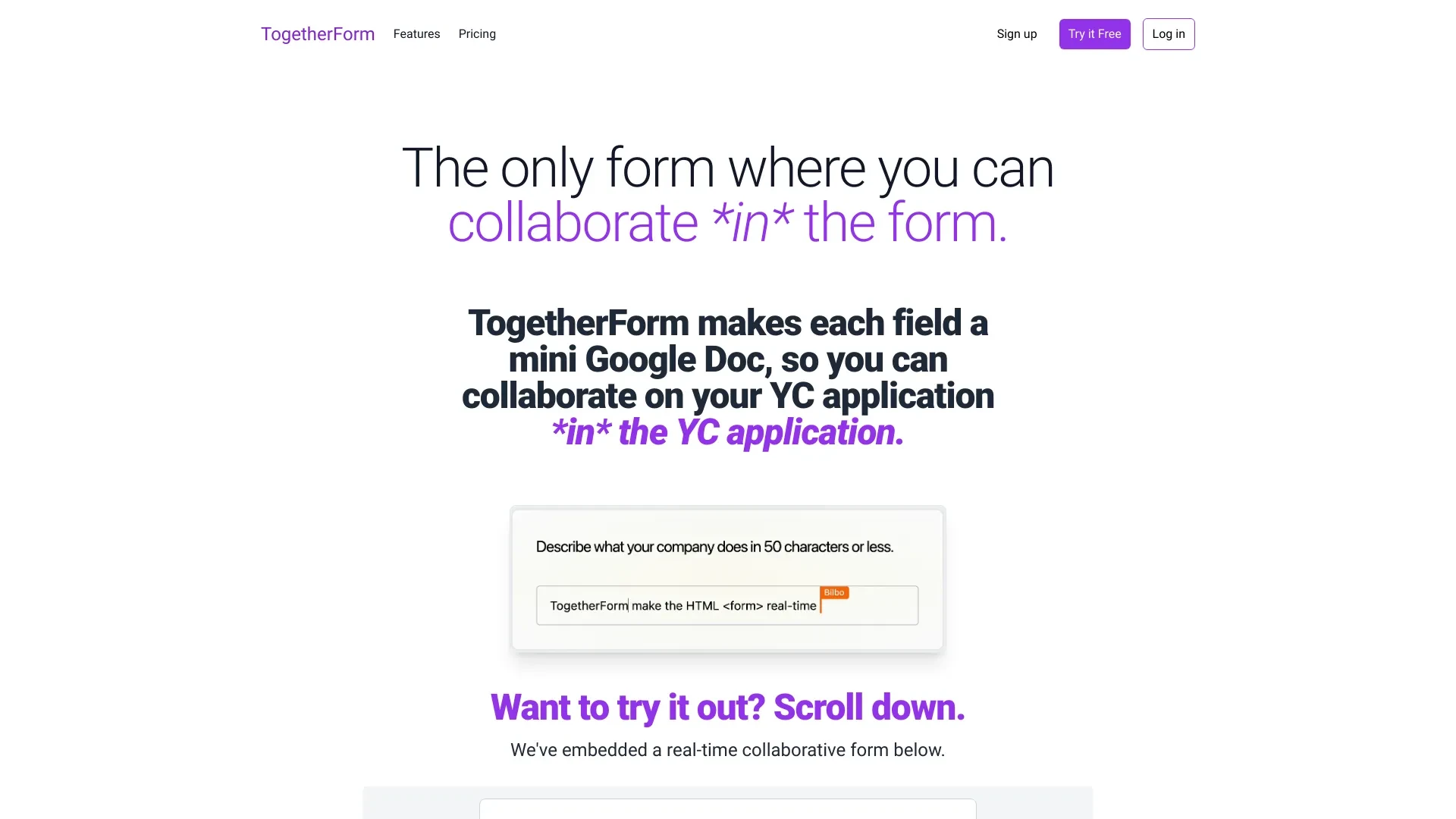
TogetherForm and Formshare address different form building needs. TogetherForm shines in real time collaboration on HTML forms, while Formshare enables no code AI driven form creation from natural language. Both operate on the web and provide freemium entry points for teams to test capabilities.

Formshare vs TogetherForm Overview

Last updated: May 2026

Formshare

0

Ideal For

    Generating feedback forms

    Creating customer surveys

    Streamlining data collection

    Enhancing user engagement

Key Strengths

    Easy to use without coding

    Quick form creation process

    AI-enhanced customization

Core Features

    No coding required

    Natural language form creation

    AI-driven form customization

    Interactive design elements

    Seamless integration capabilities

TogetherForm

0

Ideal For

    Collaborate on Y Combinator applications

    Gather team feedback on various forms

    Create surveys for project insights

    Manage event registrations

Key Strengths

    Streamlined collaboration

    Enhanced productivity

    Real-time updates

Core Features

    Real-time collaboration

    Mini Google Doc functionality for each field

    Easy form creation

    Team invitations for collaboration

    Flexible user access

Popularity

Low 6,400 visitors
Growing popularity
Very Low Unknown number of visitors
Growing popularity

At a Glance

When live collaborative editing across a team is the goal, TogetherForm is the preferred option. When rapid no code AI driven form creation from natural language is the goal, Formshare wins. For many teams, a blended approach can be practical: start with Formshare for rapid form creation and use TogetherForm to collect and review inputs on shared forms.

Pricing and Subscription Plans

Both tools come with freemium pricing and a monthly subscription model, making them accessible for teams starting out. The data indicates a zero price point at entry with ongoing subscription billing. TogetherForm focuses on collaborative workflows for teams and YC style applications, while Formshare prioritizes rapid AI driven form creation across diverse use cases. Value stems from fast onboarding and scalable collaboration.

Performance Metrics

No published speed or uptime metrics are provided for either tool. Both are web based and designed for quick form creation or live collaboration, suggesting responsive experiences under typical project loads. When evaluating deployment, prioritize architectural stability and a comfortable real time collaboration experience.

User Experience

TogetherForm offers a real time collaboration vibe with mini Google Doc style fields, straightforward form creation, and team invitations. Real time updates and flexible access aim to simplify team workflows, though onboarding may involve learning concurrent editing. Formshare provides a no code experience powered by natural language input, AI driven customization, and an interactive design. Onboarding is typically fast for non technical users, while advanced customization may rely on AI prompts.

Integrations and Compatibility

Formshare advertises seamless integration capabilities with other systems, expanding its no code forms into existing workflows. TogetherForm is a web based platform focused on real time collaboration within forms and team invites and access controls.

Limitations and Drawbacks

TogetherForm excels at collaboration but may introduce complexity around permissions and concurrent editing in larger teams. Formshare emphasizes speed and ease of use but AI driven generation may limit granular control for very complex forms.

Frequently Asked Questions

What is the main difference between Formshare and TogetherForm?
The key difference between Formshare and TogetherForm lies in their core use cases, pricing models, and feature depth. Formshare typically focuses on specific workflows, while TogetherForm offers broader capabilities suitable for different teams and scenarios.
Which is better for teams: Formshare or TogetherForm?
TogetherForm is often a better fit for growing teams that need collaboration, governance, and integrations, while Formshare can be ideal for individuals or smaller teams who want a simpler, more focused solution.
Is Formshare more affordable than TogetherForm?
Pricing depends on your usage and plan tiers. Formshare may offer a lower entry price, while TogetherForm can provide more value at scale with advanced features included in higher-tier plans.
Can I use both Formshare and TogetherForm together?
Yes, many teams combine both tools in their workflows to cover different use cases. Always review integrations and overlapping features to avoid paying twice for similar functionality.

Related Comparisons