On this page
Photo AI
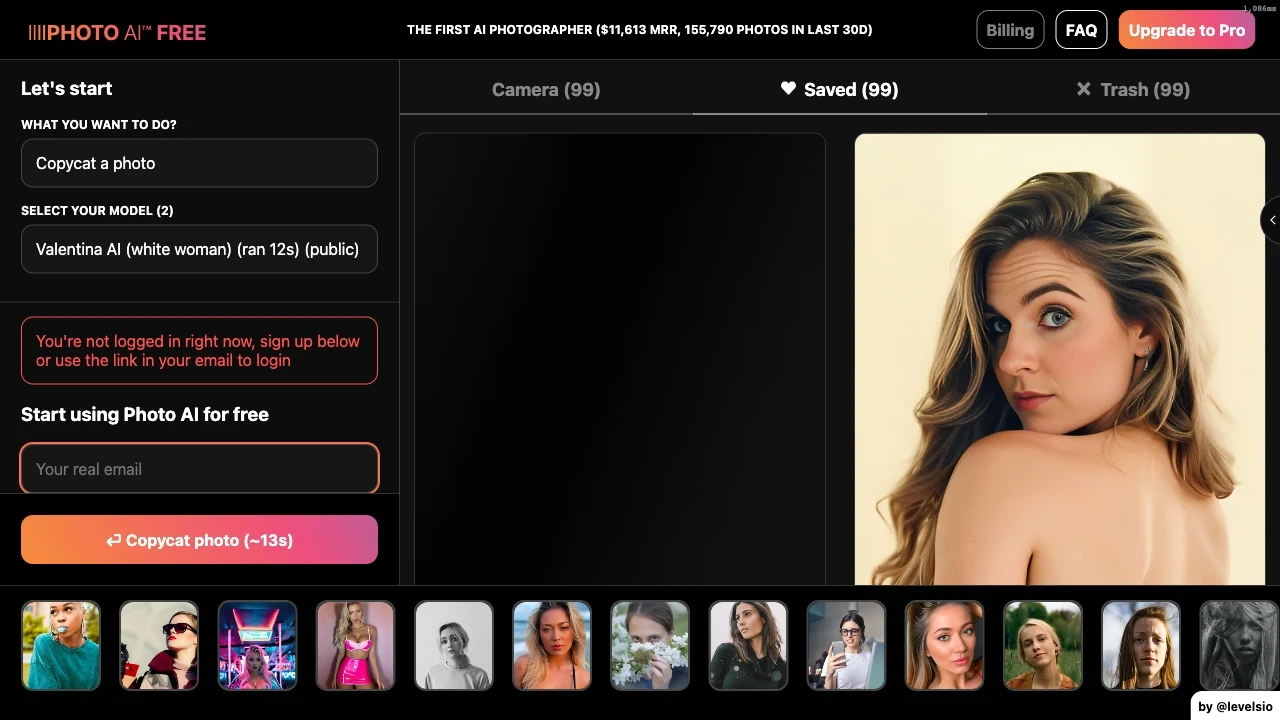
FreemiumPhoto AI enables users to generate stunning, photorealistic images without needing a camera, saving time and money on photography.
Choosing Photo AI? Compare on what actually matters
- you want seamless photo enhancement in seconds.
- you aim for AI-driven features that save time.
- you value intuitive design with easy navigation.
- you look for high-quality output with minimal effort.
- you seek innovative tools for creative photo editing.
Discussion
Ask questions, share feedback, and discuss this tool.
Start with one of these:
No discussion yet. Start the conversation.
Price History
How Photo AI's price has moved over time.
Availability
Is Photo AI up or down? Weekly reachability checks of its website.
Uptime
100%
Currently reachable
Over the last 5 weekly checks
How it works
How Photo AI Works In 3 Steps?
-
Step 1
Upload Your Images
Begin by uploading a selection of diverse images to the Photo AI tool.
-
Step 2
Train Your AI Model
The tool processes your images to develop a unique AI character based on your inputs.
-
Step 3
Generate Stunning Photos
Receive high-quality, AI-generated images tailored to your specifications effortlessly.
Photo AI: Features, Advantages & FAQs
Explore everything you need to know about Photo AI
-
Core Features
-
- AI Character Creation
- Photorealistic Photo Generation
- Versatile Photo Shoots
- Clothing and Hairstyle Try-On
- Magic Editor
-
Advantages
-
- No photography equipment required
- Cost-effective compared to hiring photographers
- Easy to create personalized images
- User-friendly interface for various skill levels
- Fun and creative tool for fashion and artistic expressions
-
Use Cases
-
- Personal Photography
- Fashion and Style Exploration
- Artistic Creations
- Virtual Fashion Shopping
- Entertainment and Fun
-
Platform & Licensing
-
Web
Ask AI about Photo AI
A straight answer grounded in our directory — alternatives, pricing, fit for your workflow.
Frequently Asked Questions
How does Photo AI work?
Photo AI creates images by training your unique AI character with uploaded photos, allowing you to generate realistic pictures in various scenarios.
How much does Photo AI cost?
Photo AI offers a freemium model, allowing basic access for free, with additional premium features available on subscription.
What type of photos should I upload for creating an AI character?
You should upload a diverse set of clear images of yourself to enable the AI to accurately replicate your features.
What file formats of photos do you accept for creating an AI character?
Photo AI accepts common image formats such as JPG and PNG for building your AI character.
How long does it take to create an AI character?
The creation of an AI character typically takes a few minutes after uploading the required images.
Top Alternatives to Photo AI
Curated options ranked by similarity, features, and value.
Get personal picks
Take the 2-min quiz for tools matched to your work.
Promoted tools worth a look.
- No stacks yet
-
- No similar tools found.
- No stacks yet
-
- No similar tools found.
- No stacks yet
-
- No similar tools found.
- No stacks yet
-
- No similar tools found.
- No stacks yet
-
- No similar tools found.
- No stacks yet
-
- No similar tools found.
- No stacks yet
-
- No similar tools found.
- No stacks yet
-
- No similar tools found.
- No stacks yet
-
- No similar tools found.
- No stacks yet
-
- No similar tools found.
- No stacks yet
-
- No similar tools found.
- No stacks yet
-
- No similar tools found.
- No stacks yet
-
- No similar tools found.
- No stacks yet
-
- No similar tools found.
- No stacks yet
-
- No similar tools found.
Best Primary Tasks for Photo AI — Top Use Cases & Workflows
Discover the most common tasks where Photo AI excels: curated, high-relevance suggestions to help you get started faster.
Rate this tool
Help others by sharing your experience with Photo AI
Anything to add? (optional)
Weekly AI Digest: Tools, Cases, Guides
-
Top 5 Tools 01
Save your time
-
Practical Use Cases 02
Applying AI in your workflow
-
Quick Guides 03
Try it in 5 minutes
Customer Reviews for Photo AI
Overall Analytics
Comprehensive review insights and historical performance
6-month timeline
Recent Review Statistics
Sentiment analysis and trends from the last Last 30 days
No reviews yet in this period
Be the first to share your experience!
Write a Review
Share your experience to help others make better decisions